
This section provides supplemental information.
Enabling Split Authentication
In a Windchill setup with Single Sign-On (SSO) implemented on the master/main server and a replica server connected to it, HaloCAD has a limitation when obtaining metadata from the replica server by using SSO-based authentication.
Split authentication overcomes HaloCAD's limitation when accessing REST calls from the replica server to the main server. All other activities continue to use SSO authentication or the customized authentication configured by the customer, except for HaloCAD operations on the replica server.
PTC recommends this solution. For more information, see Knowledge Base Article CS291543.
The following example shows how to configure split authentication for the HaloCAD Controller endpoint on the main server.
Follow the steps for the configuration:
-
Stop the Windchill and Apache servers.
-
In the HTTPServer directory
<WT_HOME>\HttpServer\conf\conf.d(for example,C:\ptc\Windchill_12.0\HTTPServer\conf\conf.d), create a new configuration file with a number higher than the existing<number>-app-Windchill-Auth.conffile. For example, if there is a file with39-app-Windchill-Auth.conf, you can create one with40-app-Windchill-Auth.conf. -
Enter the following values into the file, and then save it.
<LocationMatch ^/+Windchill/+servlet/+HALOCADController(;.*)?> AuthName "Windchill" AuthType Basic AuthBasicProvider Windchill-LDAP Require valid-user </LocationMatch> -
Restart the Windchill and Apache servers.
Failover Mechanism for HaloENGINE GenNXT in HaloCAD for PLM
Server failover between two systems supports uninterrupted operation and service reliability in the event of a failure. The server failover configuration is active-standby, where the primary server is active, and the secondary server is standby.
HaloCAD for PLM supports connection failover between two HaloENGINE GenNXT instances. The failover mechanism provides the following benefits:
-
High Availability: If the primary HaloENGINE GenNXT fails, the secondary HaloENGINE GenNXT takes over, reducing downtime and maintaining continuous operation.
Example: Assume that your business process requires no downtime.
As part of the business security policy, the administrator configures Fail-Safe Mode as Strict to block file uploads or downloads whenever an error occurs. If HaloENGINE GenNXT encounters an unexpected issue and fails to obtain label information, file uploads or downloads are prevented. In such cases, the HaloENGINE GenNXT failover mechanism handles the situation without affecting the end user. If the primary HaloENGINE GenNXT connection fails, HaloCAD detects the failure and immediately switches to the secondary HaloENGINE GenNXT to continue providing services.
Once the primary HaloENGINE GenNXT is restored, it remains in standby while the secondary HaloENGINE GenNXT remains active. If the secondary HaloENGINE GenNXT fails, the primary HaloENGINE GenNXT takes over operations again.
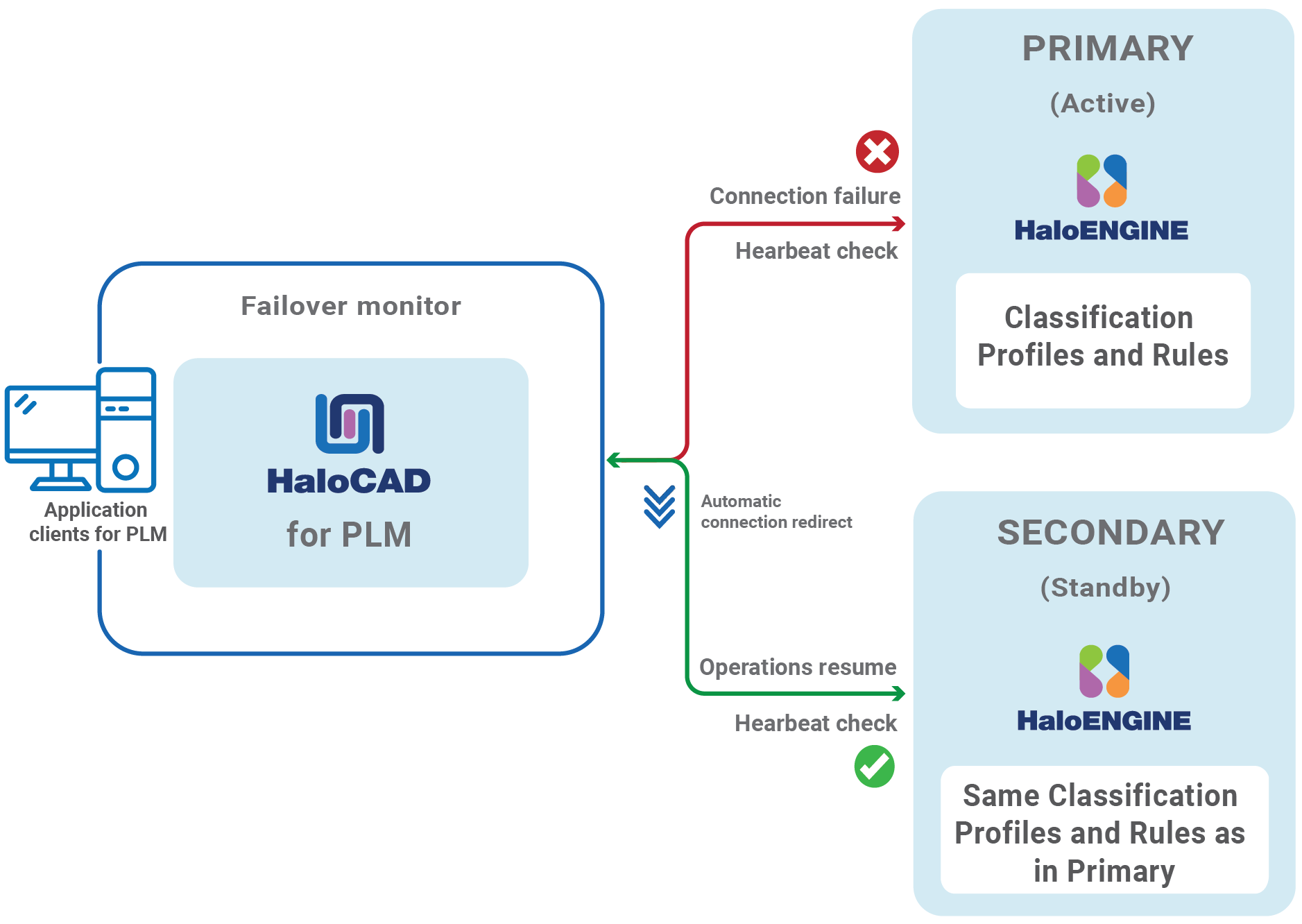
Failover Mechanism for HaloENGINE GenNXT in HaloCAD for PLM
-
Redundancy: Provides redundancy by ensuring that another HaloENGINE GenNXT is always available to take over if the primary HaloENGINE GenNXT fails. This minimizes the possibility of a single point of failure.
-
Data Integrity and Consistency: In the event of a failure, the failover mechanism helps ensure that data remains consistent and that file upload and download activities are not lost. This is crucial for systems that rely on high data security.
Failover Mechanism Requirement
-
Network Infrastructure: Deploy the secondary HaloENGINE GenNXT on a separate network segment from the primary HaloENGINE GenNXT.
-
Data Replication: Ensure that both HaloENGINE GenNXT use the same classification profiles and rules.
Third-Party Libraries
Third-party software/code is included or bundled with Secude's products according to its appropriate license. Secude conducts testing to make sure the third-party products are compatible with and perform as intended with Secude applications.
The third-party libraries and dependencies used by HaloCAD for Windchill are shown in the table below.
|
Library names |
Versions |
Source Code URLs |
License Links |
|---|---|---|---|
|
commons-io |
2.+ |
||
|
jna |
5.13.0 |
http://www.apache.org/licenses/LICENSE-2.0.txt
|
|
|
jna-platform |
5.13.0 |
https://mvnrepository.com/artifact/net.java.dev.jna/jna-platform |
http://www.apache.org/licenses/LICENSE-2.0.txt
|
|
MIP SDK |
1.16.126.0 |
https://learn.microsoft.com/en-us/information-protection/develop/version-release-history |
https://docs.microsoft.com/en-us/information-protection/develop/ |
|
MSAL |
4.73.1 |
https://github.com/AzureAD/microsoft-authentication-library-for-dotnet |
https://github.com/AzureAD/microsoft-authentication-library-for-dotnet/blob/master/LICENSE |
|
Spdlog |
1.15.3 |
- |
Third-party libraries
Windchill Metadata Definitions
The table below lists the Windchill metadata available in the HaloENGINE GenNXT.
|
Windchill metadata |
Use |
|---|---|
|
server_name |
Derivation from the server name (FQDN of the Windchill server). (For example, |
|
user_name |
Derivation from the logged-in Windchill user. (For example, John and Derek) |
|
file_name |
Derivation from the file name. |
|
project_name |
Derivation from the project name. (For example, Windchill) |
|
product_name |
Derivation from the product name (For example, Windchill). |
|
lifecycle_template |
Derivation from the lifecycle of a file. Lifecycle provides an overview of how business items develop and serves as a model for the commercialization process. The lifecycle templates may be of the following types: Approval, Basic, Default, and so on. (For example, |
|
user_role |
Derivation from the user role. (For example, Designer and Engineer) |
|
lifecycle_state |
Derivation from the lifecycle of a file. Each phase of a lifecycle template is associated with a lifecycle state. There are different kinds of lifecycle states.
(For example, |
|
security_label |
Derivation from the Windchill access control policy. For more details, please refer to the online PTC Windchill documentation. (For example, Export Control, Corporate Proprietary, and Third Party Proprietary) |
|
file_type |
Derivation from the file type (Creo file types and MS Office native file types). (For example, sec, prt, asm, xlsx) |
|
library_name |
Derivation from the library name. (For example, Density, Wheel, and Pipeline) |
|
workspace_name |
Derivation from workspace. (For example, Generic_computer and Drive System) |
|
system_context |
Derivation from the origin of the data. (For example, Generic_computer, and Drive System) |
|
preexpression_custom_pre-expression |
Derivation from custom pre-expression.
|
Windchill metadata
Uninstalling the HaloCAD Component from Windows
Once you stop using the HaloCAD component, you can uninstall it. Uninstalling removes all files and registry settings that were added to your computer during initial installation.
Prerequisite: Make sure to stop the Windchill Server before performing uninstallation. Otherwise, an error message appears such as "Windchill Server instance is running. So please stop the server and retry unistallation."
-
Click Start menu > go to Control Panel > Programs > Programs and Features > Uninstall a Program > select HaloCAD for Windchill application from the list > right-click and select Uninstall option or double-click on the installer
HaloCAD_Windchill_Setup.exefile. -
Depending on your Windows security settings, you may get a security warning as "Do you want to allow the following program to make changes to this computer?". If you get this security warning, click the Yes button to confirm that you want to uninstall the HaloCAD component.
-
The following confirmation message appears.
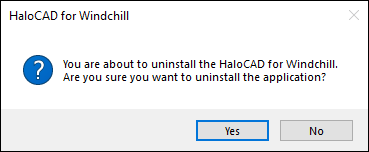
Uninstall Message #1
-
Click Yes to confirm that you want to remove it from the computer.
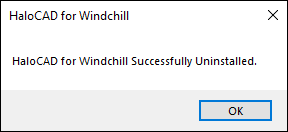
Uninstall Message #2
Result
-
The HaloCAD component is successfully uninstalled.
-
Click OK to close the dialog.
-
Uninstallation is complete.
-
Alternative method: Remove configuration files using the HaloCAD Configuration Tool. Open Command Prompt as Administrator, then run this command:
HaloCAD_Windchill_Setup.exe -uninstall
-