
.gif)
Use one of the following methods to find documentation:
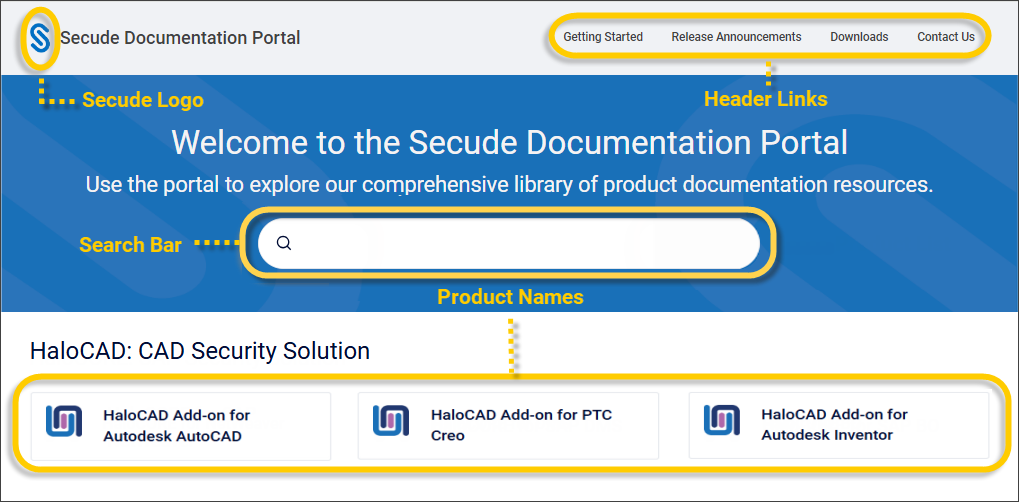
Find Your Product
On the home page, click your product name to view publications for the latest versions.
Search
In the top search bar, enter your product name or a keyword and refine your search.
What's new
In the top right, click Release Announcements to see what was recently released and the available versions.
Landing Home Page
No matter where you are in the portal, you can quickly return to the Product Documentation home page by clicking the Secude logo in the upper-left corner.
Source Page
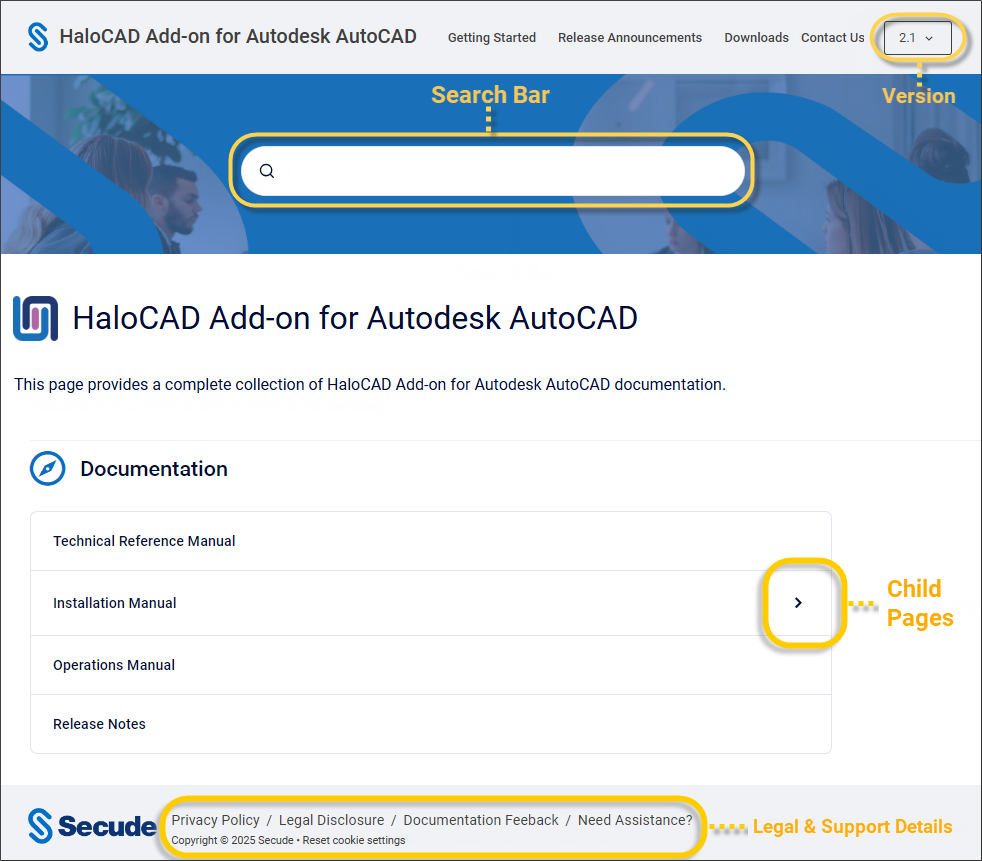
Once you have chosen your product, the source page will appear as shown below:
Version
You have the option to select your product version at the top right corner.
Previous versions of publications
The documentation portal currently only offers the latest official documentation for items that are actively maintained. Users will be able to select a new version when incremental versions of products are released.
Legal & Support Details
Copyright, privacy policy, legal disclosure, document feedback, and support for the product can be accessed here.
Supported Browser Versions
This documentation portal is suited for the latest browsers and mobile.
-
Desktop:
-
Firefox
-
Google Chrome
-
Microsoft Edge
-
Safari for macOS
-
-
Mobile:
-
Chrome for Android
-
Safari for iOS
-